
Install the Spend4Democracy App
Spend4Democracy can be installed directly on your phone's home screen. Instead of being distributed through the Apple App Store or Google Play Store, the app is installed directly from the web. This approach allows the platform to remain independent and accessible without relying on approval from large technology companies.
Step-by-Step Install Guide
Select your browser below, then follow the steps to add Spend4Democracy to your phone's home screen.
Install Spend4Democracy on Chrome
Open this Link
Open the link below on your phone using Chrome. Sign up using your email address. Once logged in, tap the share button in the top-right corner.
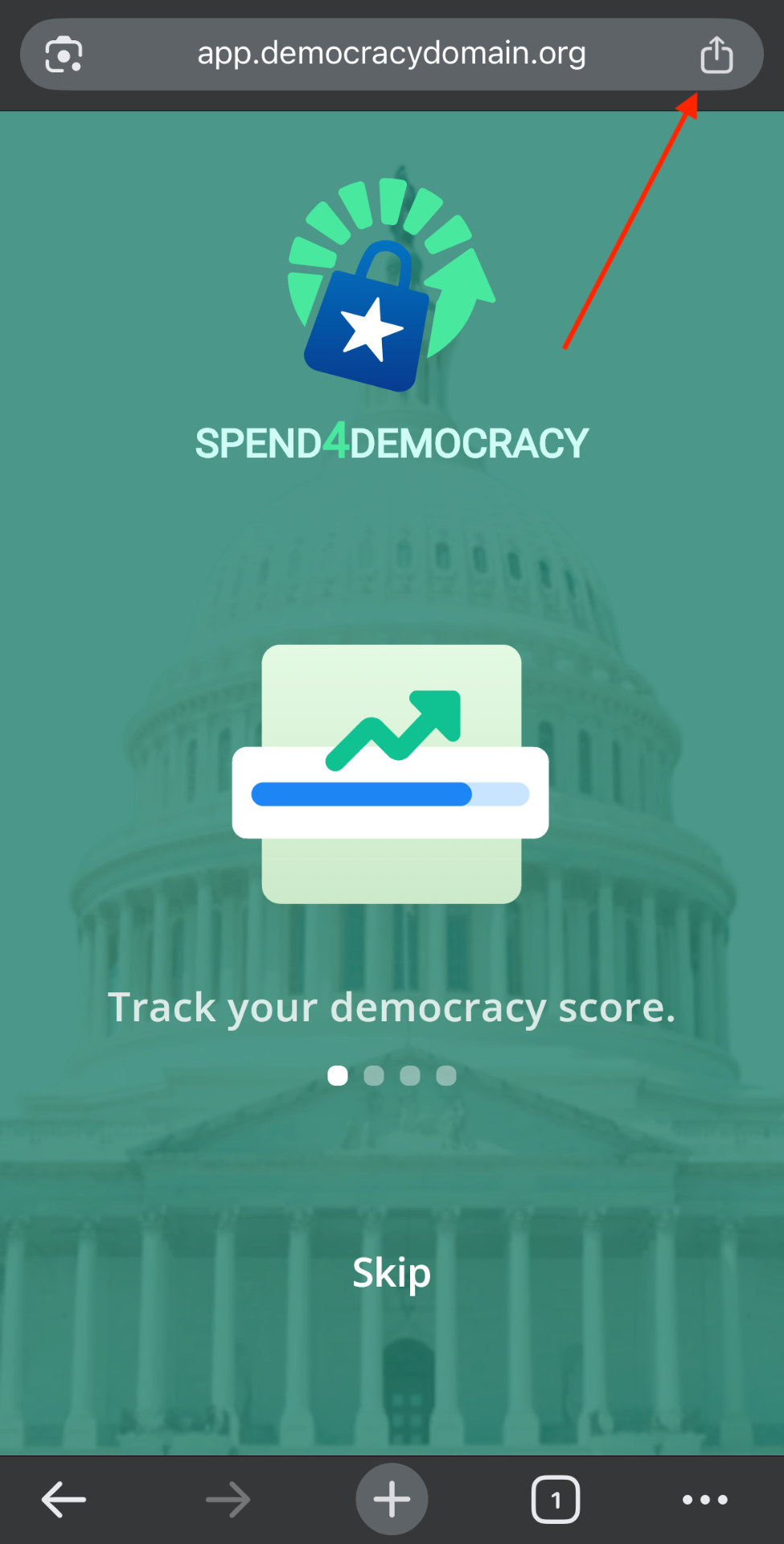
Chrome Step 1
View More
On the bottom right, click on "View More" to expand the list of options.
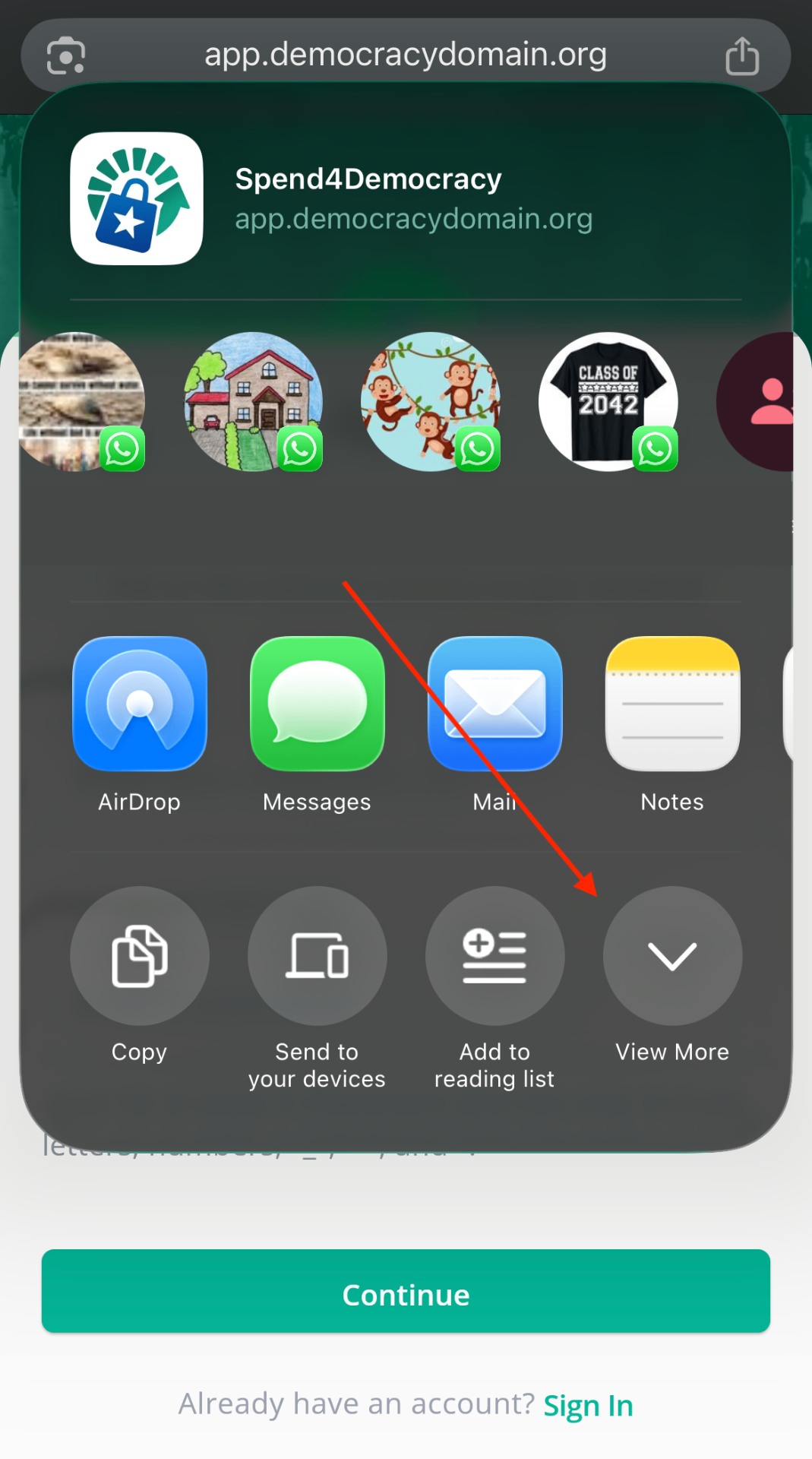
Chrome Step 2
Select Add to Home Screen
Scroll down in the share menu and tap "Add to Home Screen."
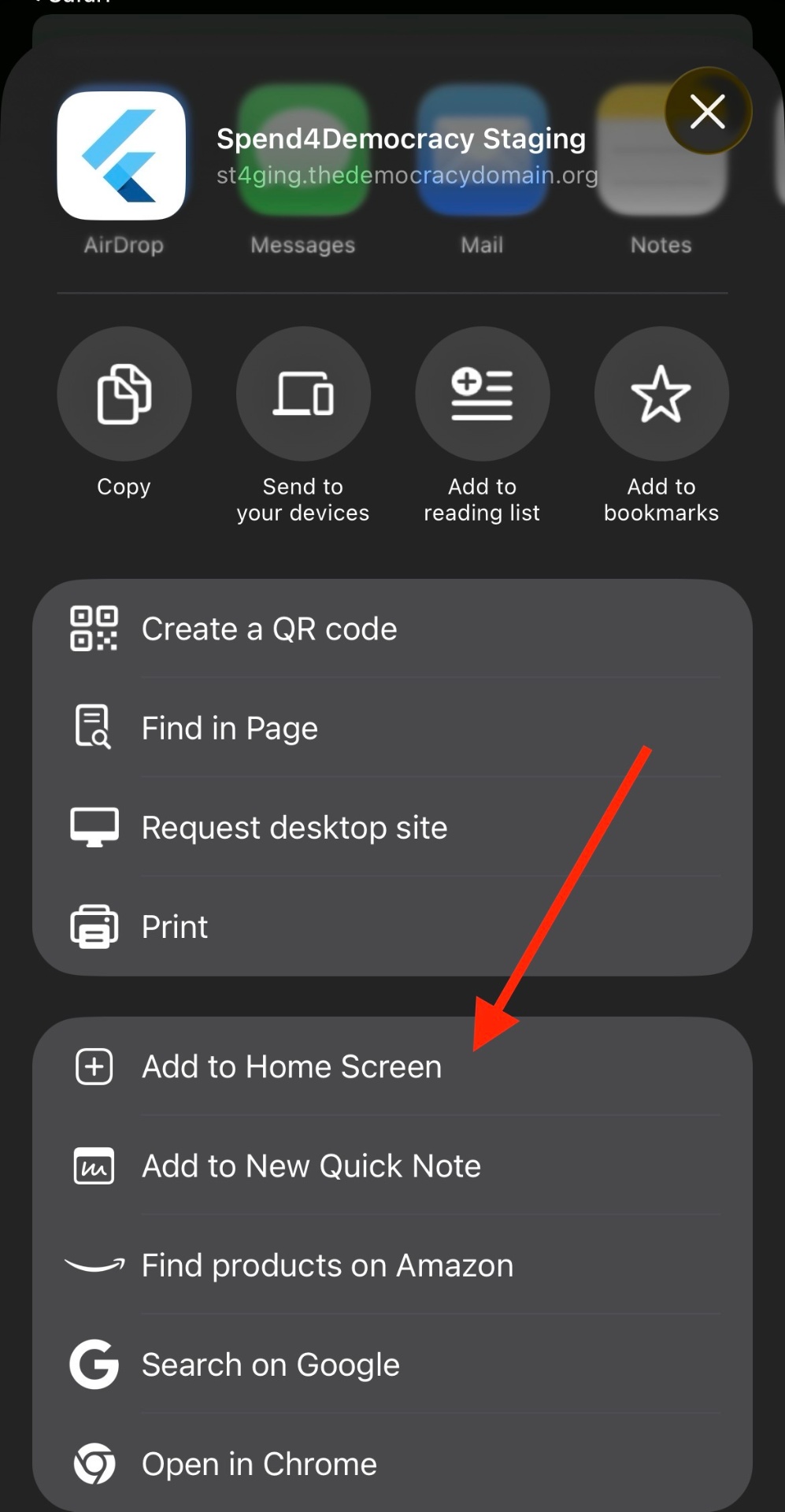
Chrome Step 3
Confirm Installation
Tap "Add" to confirm. The app will appear on your home screen.
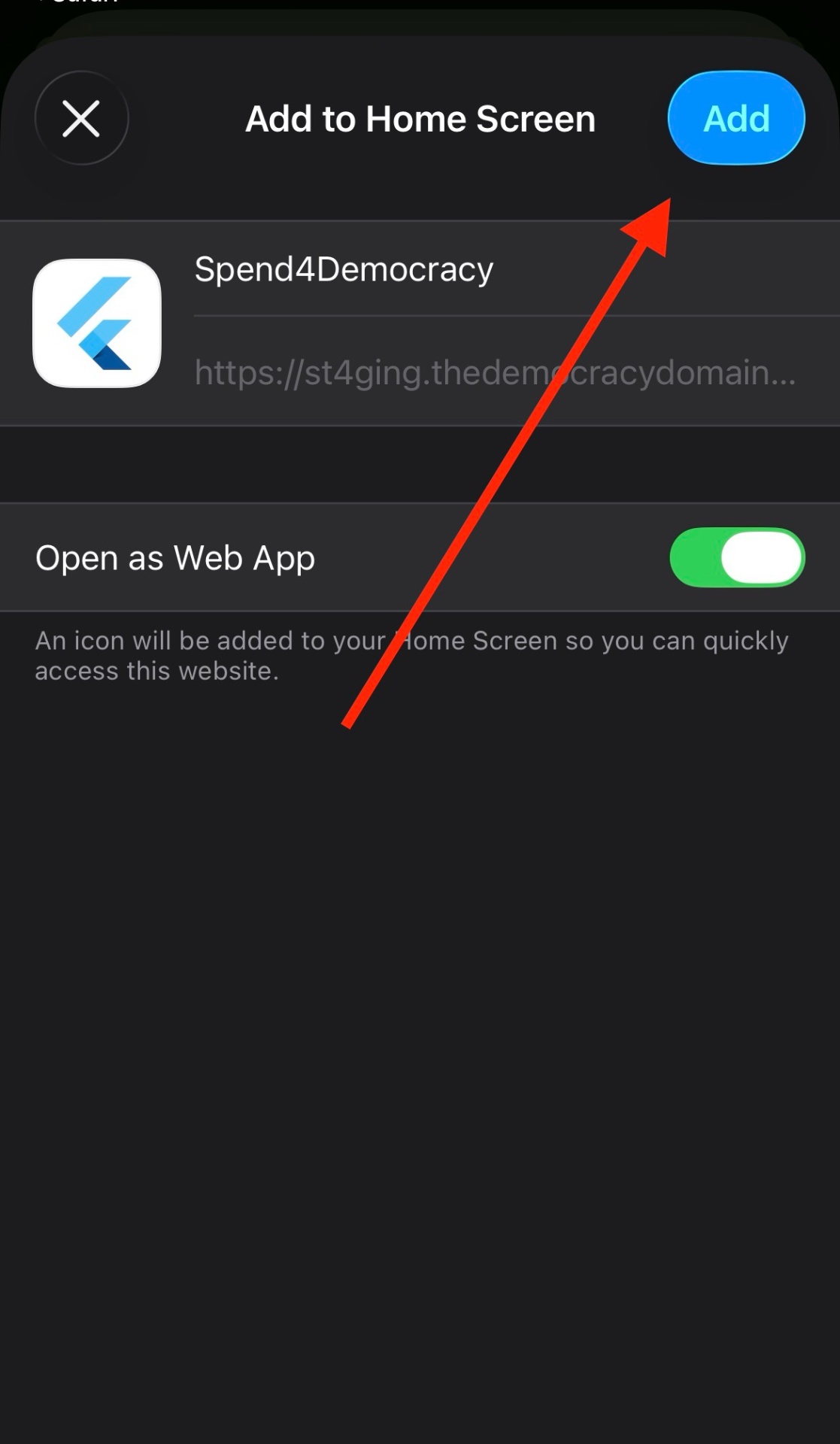
Chrome Step 4
Install Spend4Democracy on Safari
Open this Link
Open the link below on your iPhone using Safari. Sign up using your email address. Once signed in, tap the Share button (square with an arrow) at the bottom of the screen.
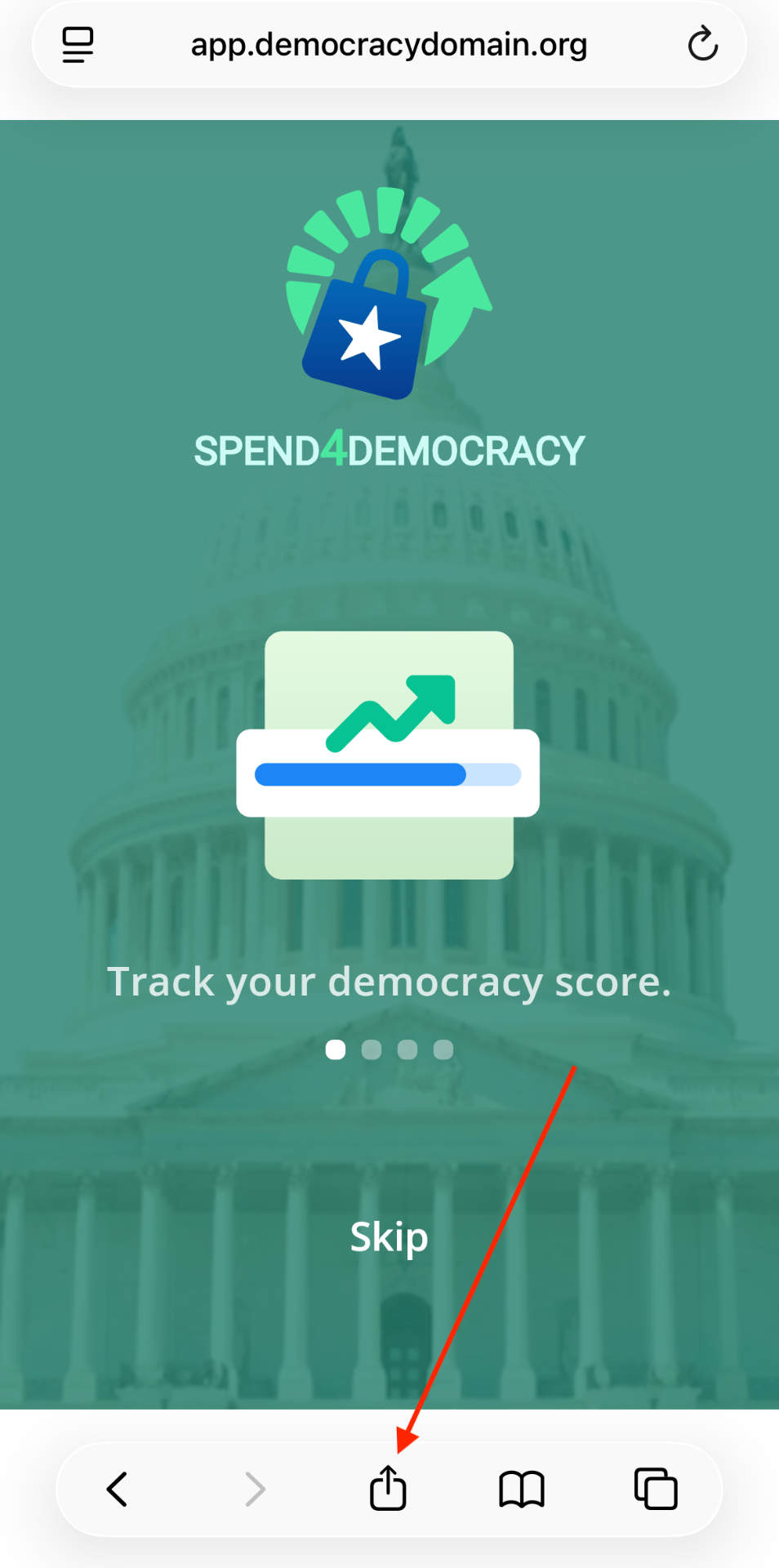
Safari Step 1
View More
On the bottom right, click on "View More" to expand the list of options.
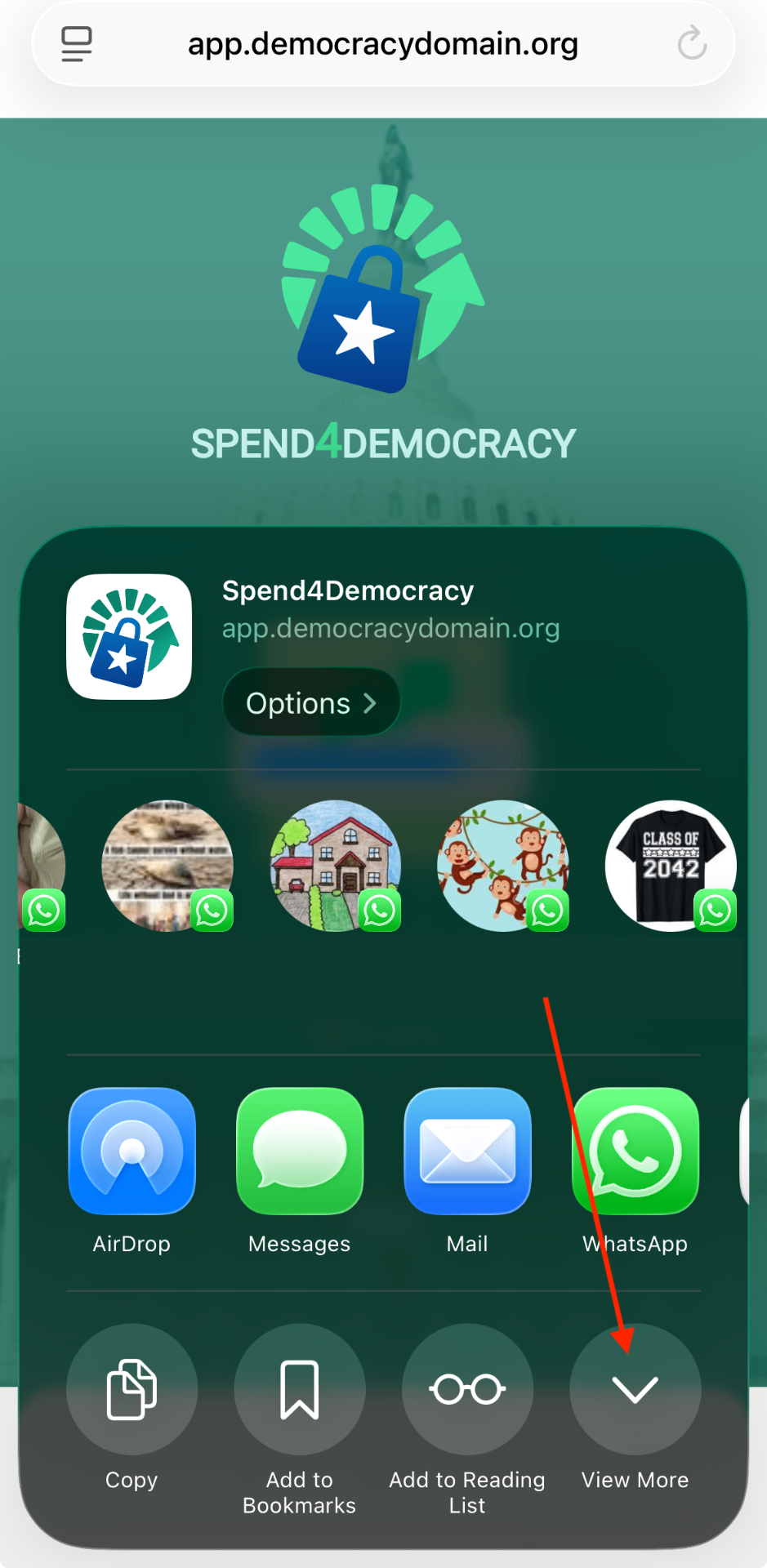
Safari Step 2
Select Add to Home Screen
Scroll down in the share menu and tap "Add to Home Screen."
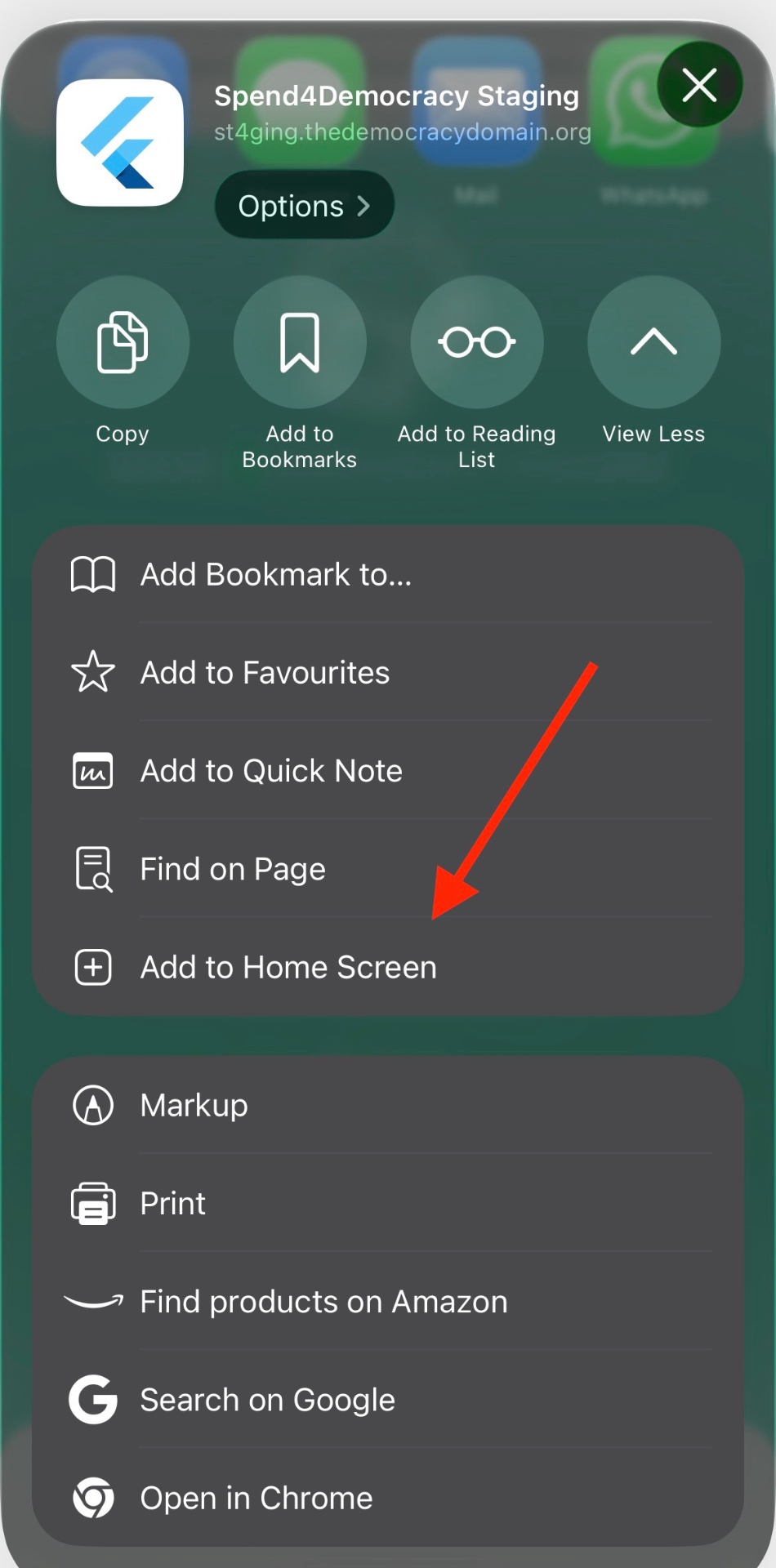
Safari Step 3
Confirm Installation
Tap "Add" in the top-right corner to confirm. The app will appear on your home screen.
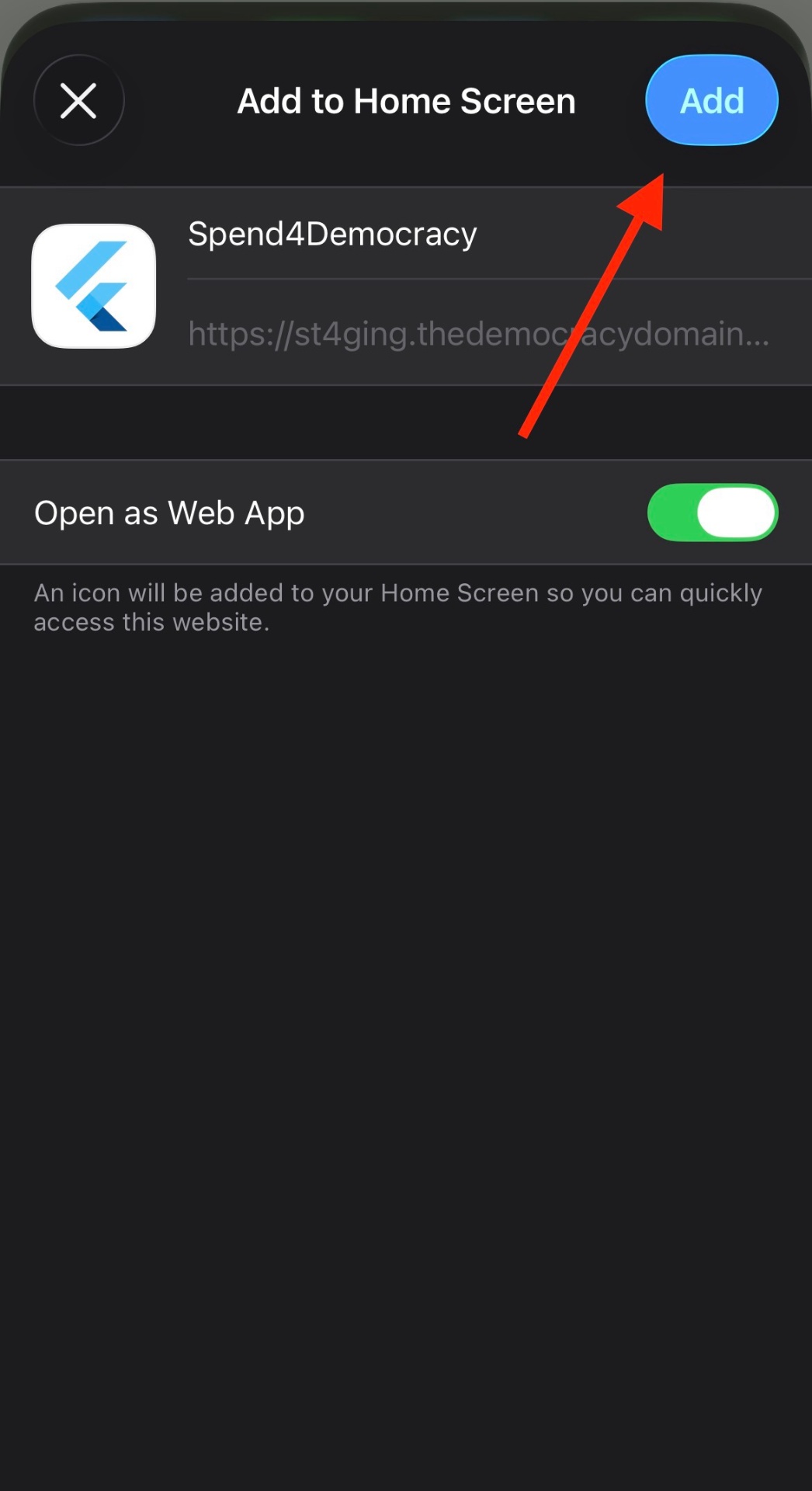
Safari Step 4
Install Spend4Democracy on Edge
Open this Link
Open the link below on your phone using Microsoft Edge. Sign up using your email address. When signed in, tap the menu icon (☰) in the bottom-right corner.
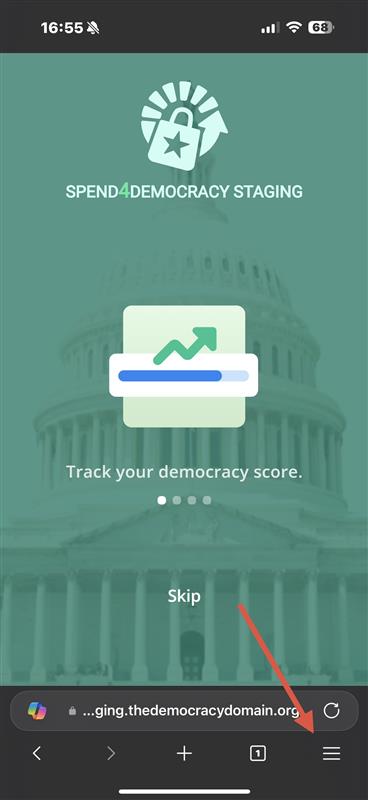
Edge Step 1
Tap Share
In the menu, tap the "Share" button in the bottom-right corner.
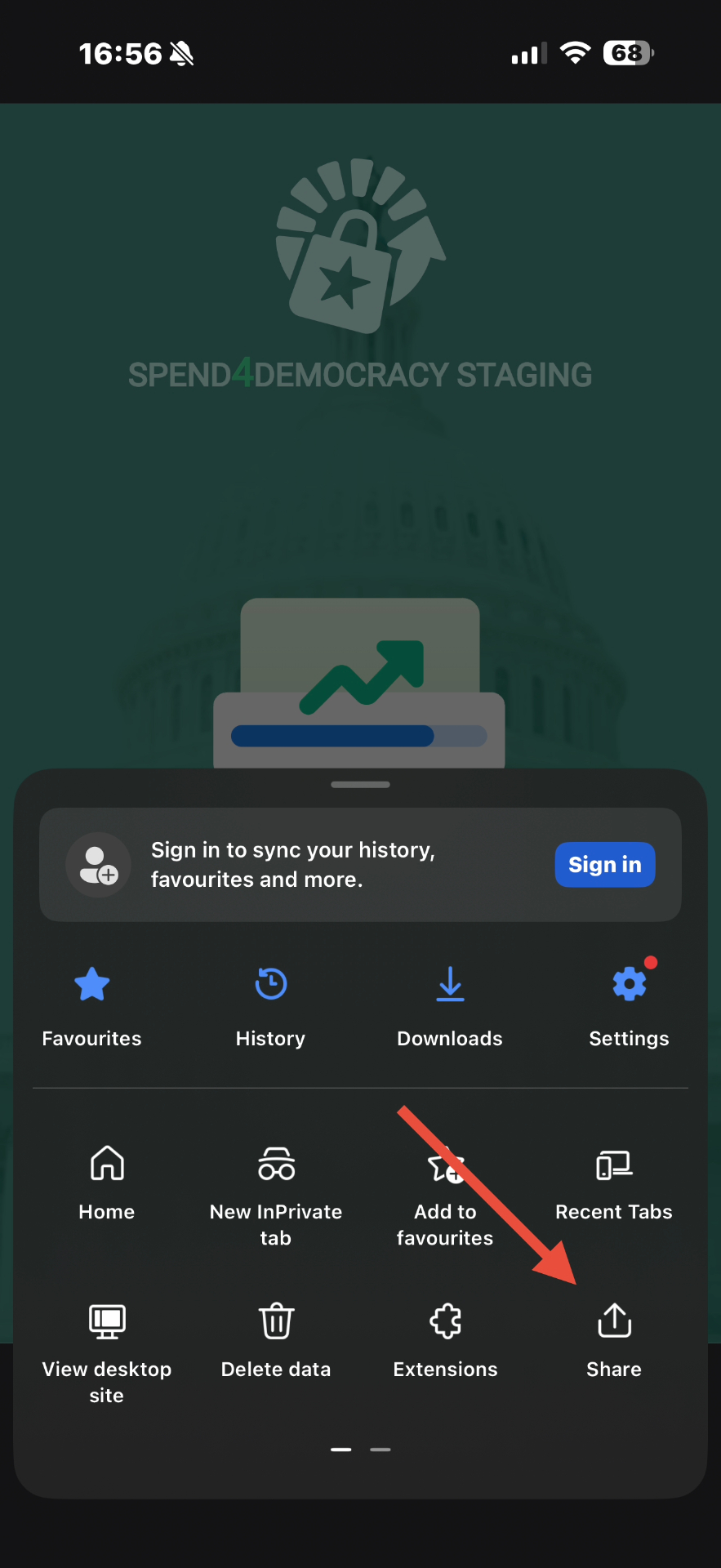
Edge Step 2
Select Add to Home Screen
Scroll down in the share sheet and tap "Add to Home Screen."
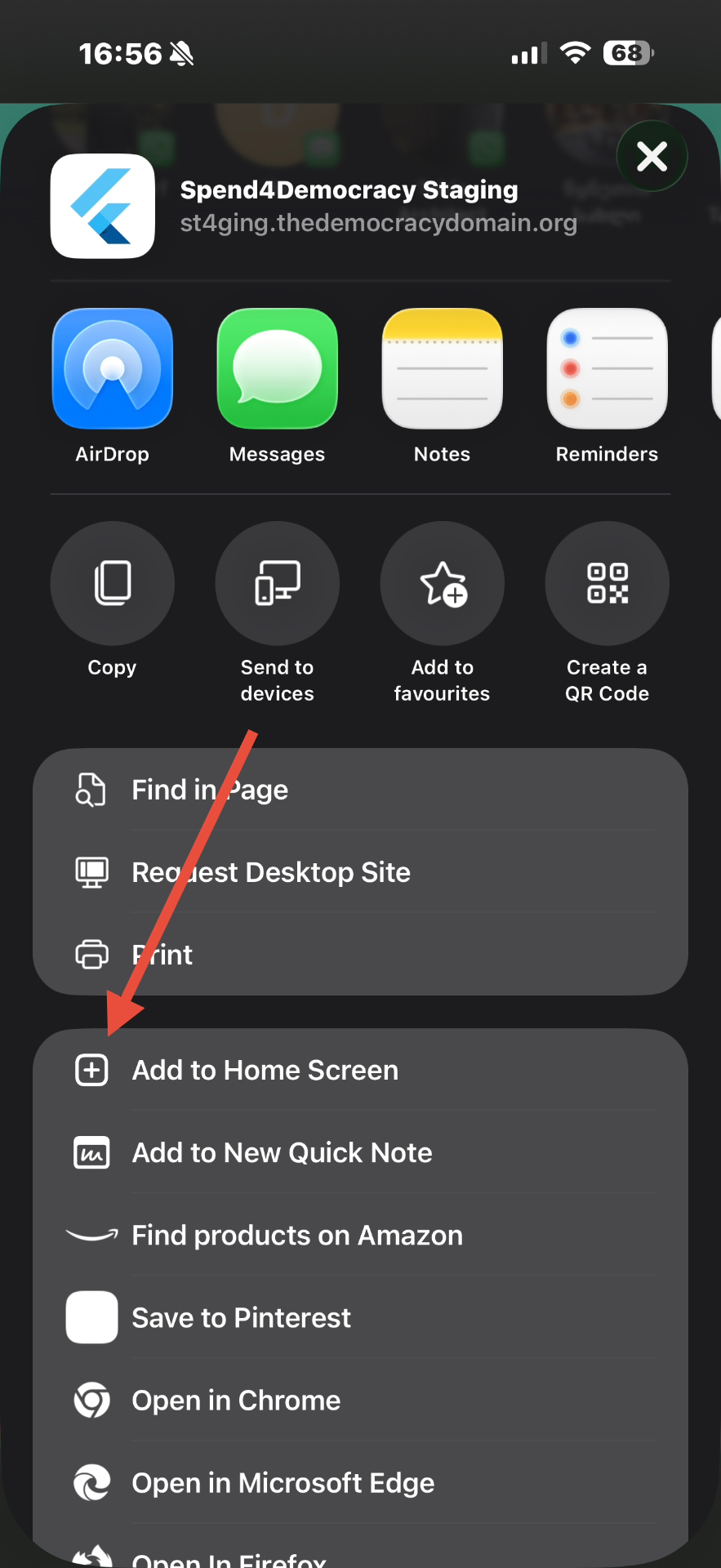
Edge Step 3
Confirm Installation
Tap "Add" in the top-right corner to confirm. The app will appear on your home screen.
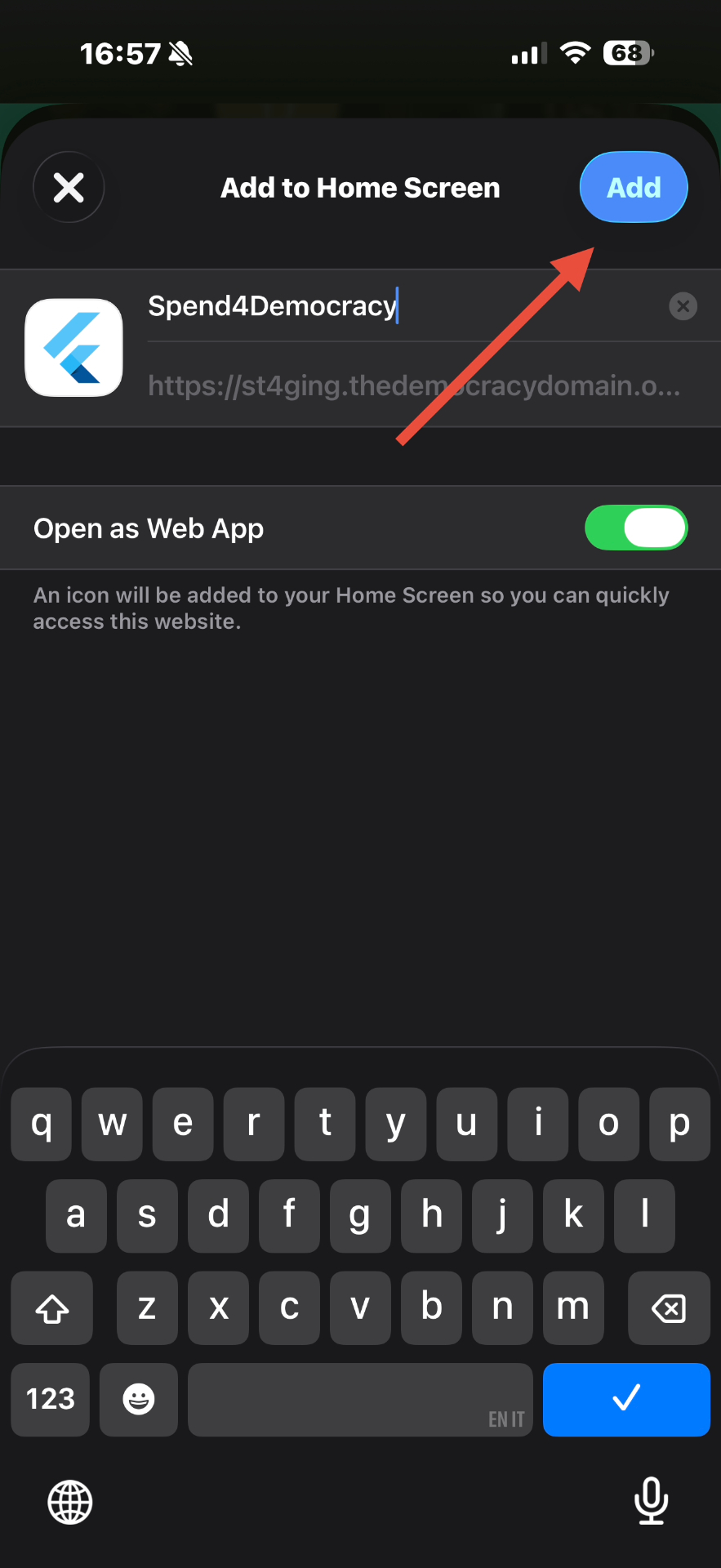
Edge Step 4
Install Spend4Democracy on Firefox
Open this Link
Open the link below on your phone using Firefox. Sign up using your email address. When signed in, tap the Share button at the bottom of the screen.
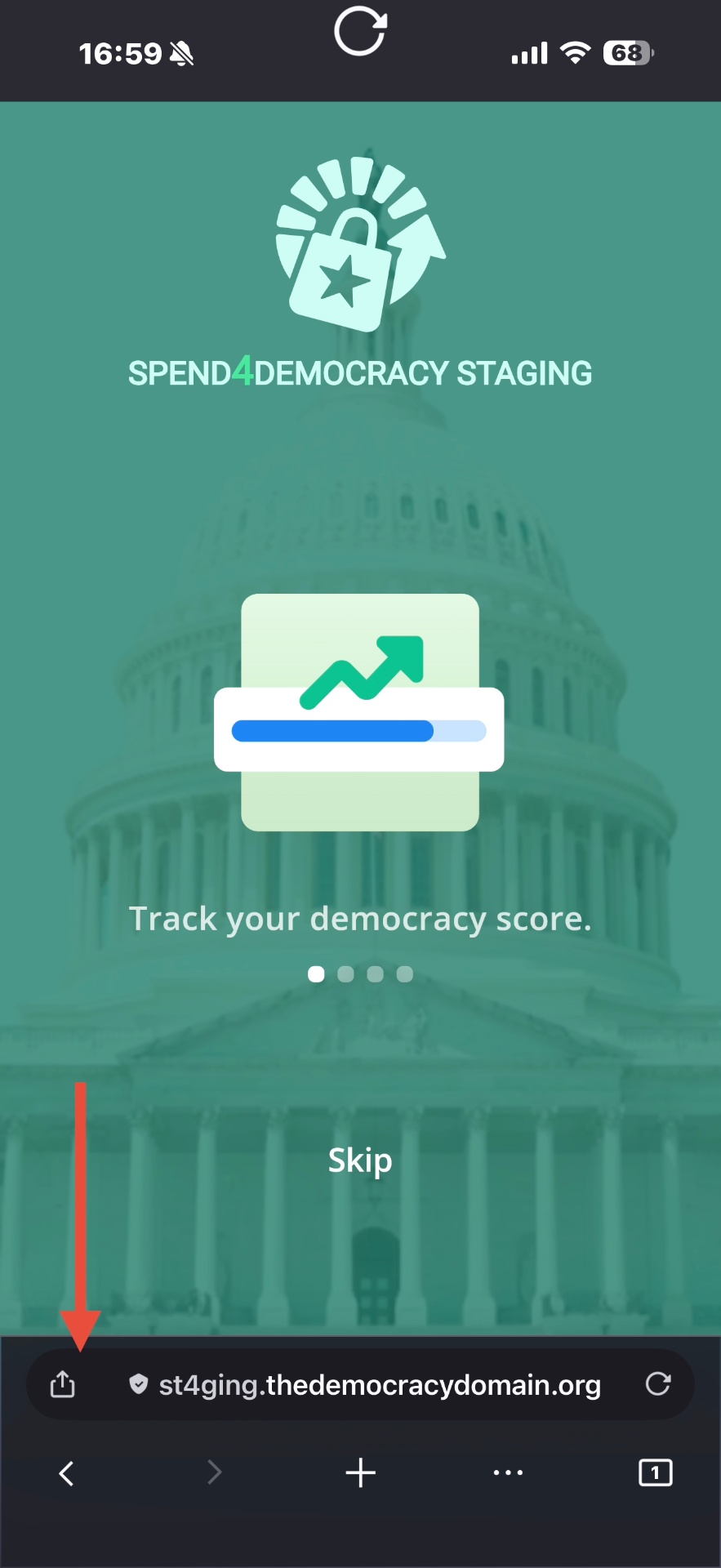
Firefox Step 1
Select Add to Home Screen
In the share sheet, scroll down and tap "Add to Home Screen".
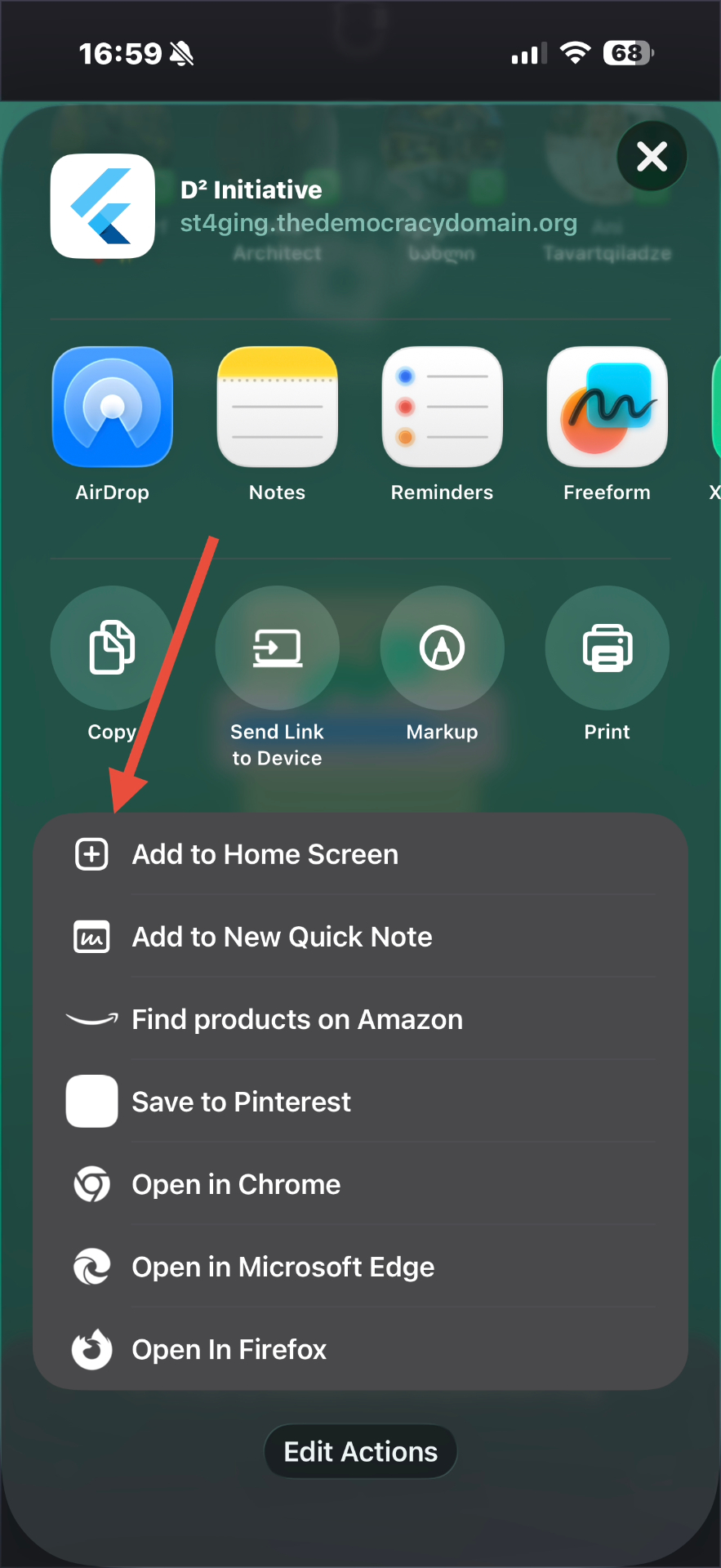
Firefox Step 2
Confirm Installation
Tap "Add" in the top-right corner to confirm. The app will appear on your home screen.
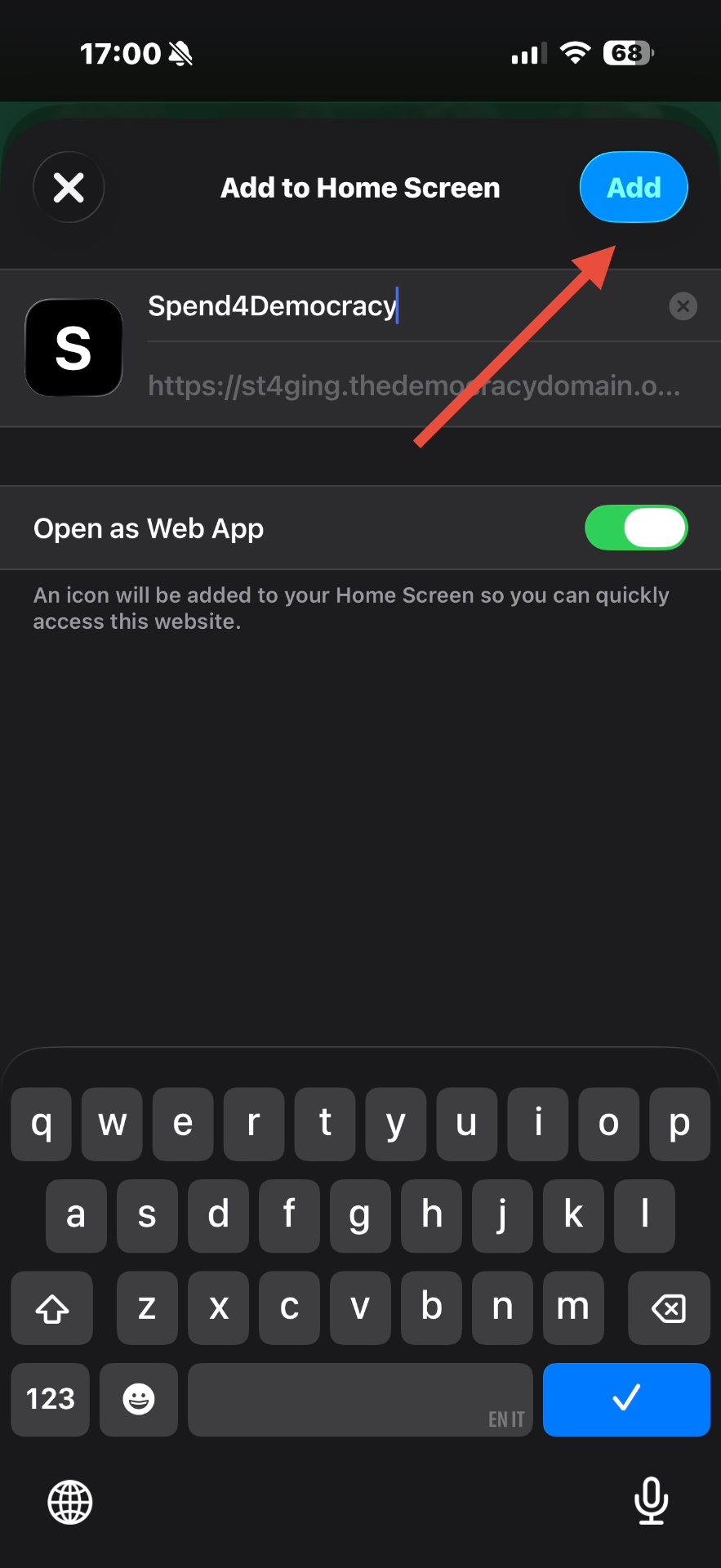
Firefox Step 3
The app will then appear on your phone's home screen and can be used just like a regular mobile app. If you need additional support, please email us at contact@thedemocracydomain.org.
About Spend4Democracy
Spend4Democracy is a free tool from The Democracy Domain that shows how companies behind everyday spending act on issues shaping American democracy. The app tracks corporate conduct and translates it into scores you can check before you buy or subscribe.
Installing takes about two minutes and adds an icon to your home screen. Distributing this way keeps the project independent, free of app-store fees, and quick to update.
The app is for anyone who wants spending to reflect values. If you shop, stream, or pay bills, Spend4Democracy helps turn everyday choices into a signal companies notice.